


Day-2 actions
Deploy once. Operate for years.
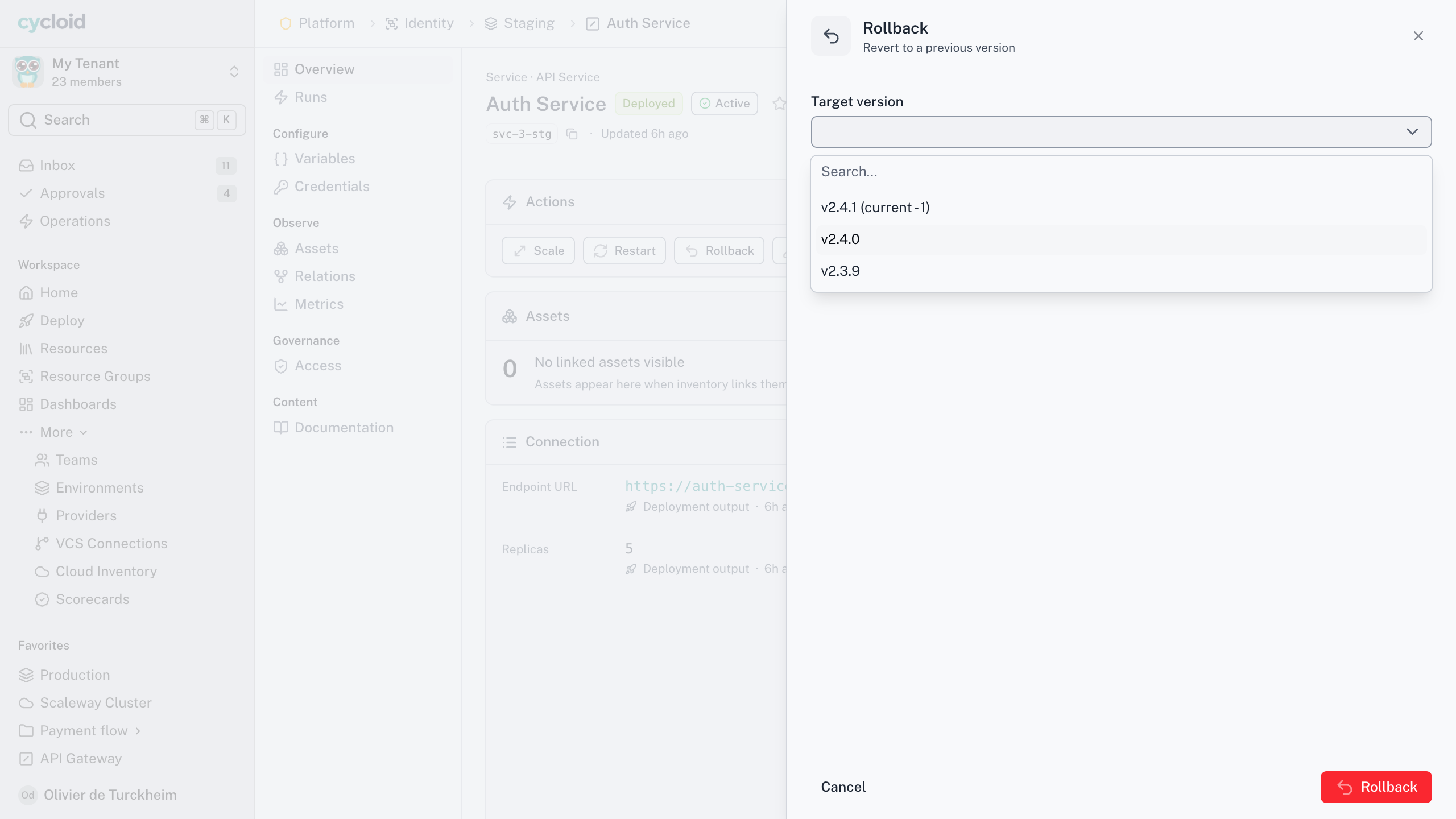
Every operation after the first deploy is an action on the Blueprint. You run it from the resource’s own page, with its own form, backend and approval rule.
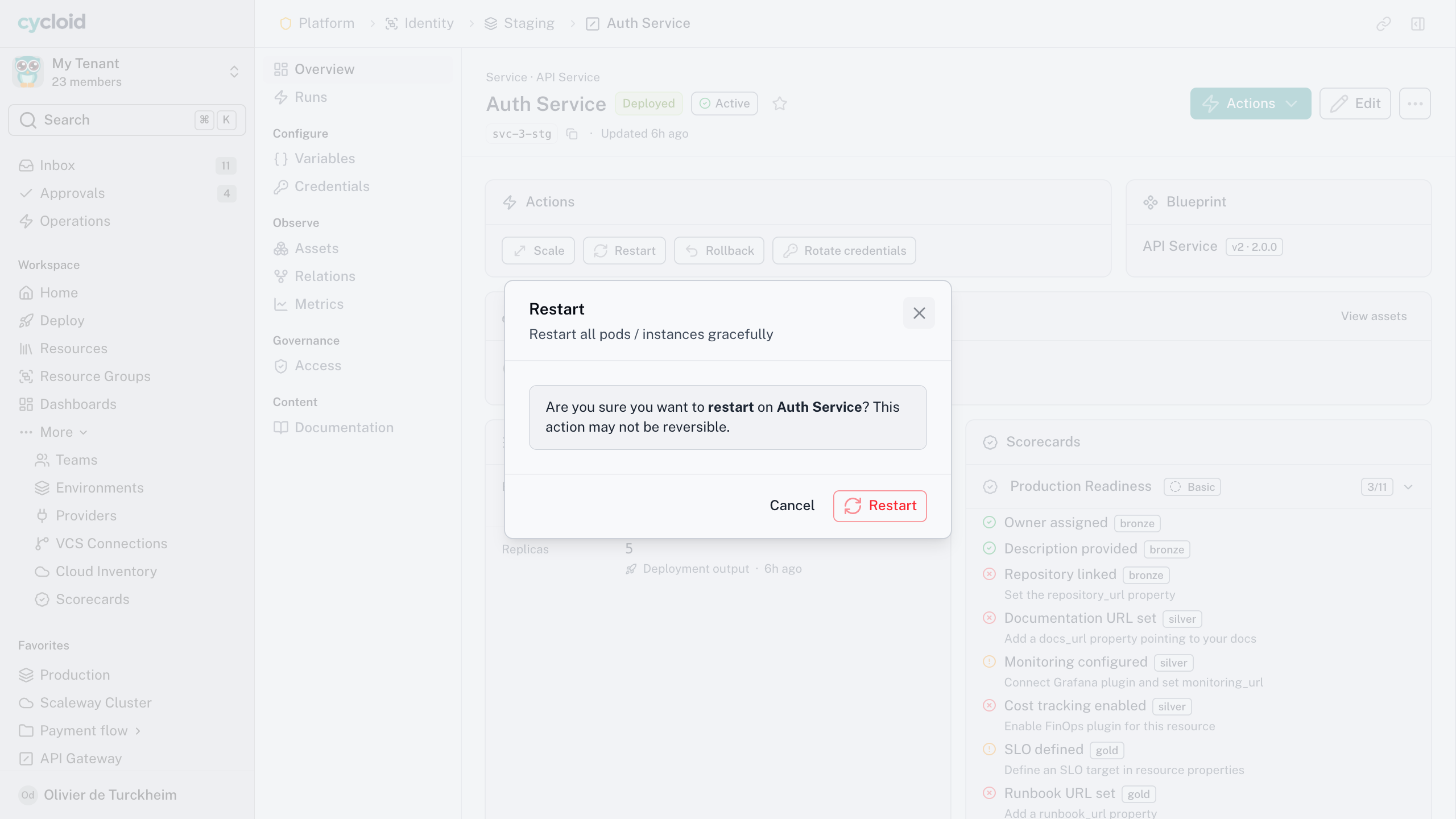
Actions on a deployed resource
What day-2 means here
Every action except the one that created it
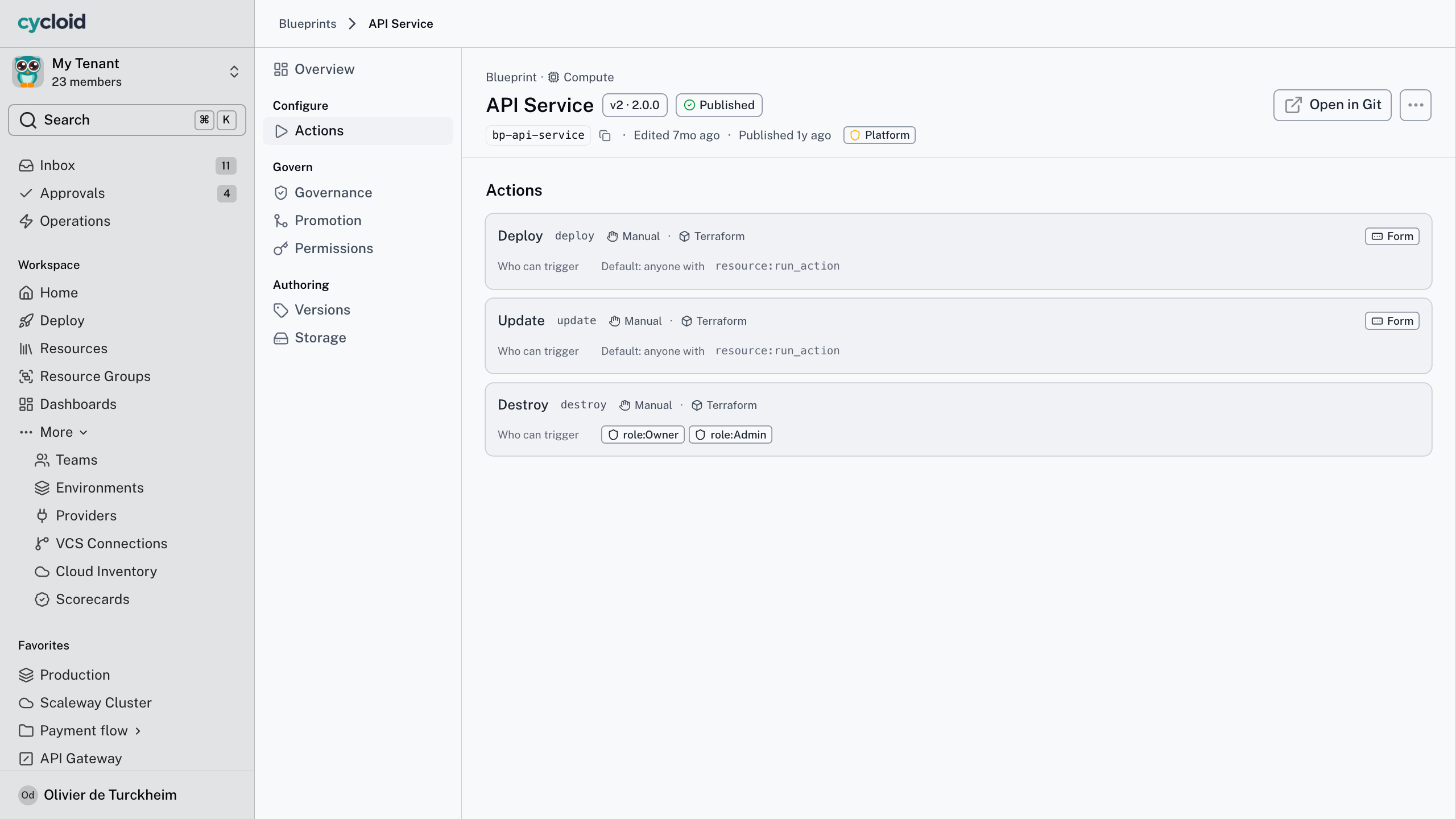
A day-2 action is any Blueprint action other than create. Scale, restart, reconfigure, upgrade, run a plan, destroy. The Blueprint author declares them once, and every resource of that type carries them from the moment it exists.
It has a backend
Each action runs natively or in the CI you already operate. It’s a real execution with logs and a status, not a button that files a ticket somewhere else.
It has a form, if it needs one
Scale asks for a replica count. Restart asks nothing at all. The form belongs to the action, so there’s nothing to keep in sync.
It has its own rule
Approval is declared per action, so production scaling can need a named approver while staging runs unattended. One Blueprint, no branch to maintain.
Cycloid for your team
What day-2 on the resource changes for each reader
Stop being the execution path
The problem
Every scale, rotate and patch arrives as a ticket, and the fix is a pipeline only three people know how to run safely.
With Cycloid
Declare the action once on the Blueprint, with its form, its backend and its approval rule, and every resource of that type carries it.
The outcome
Routine operations stop routing through you.
Operate what you deployed
The problem
You could deploy the thing but not operate it, so anything after day 0 means asking somebody and waiting.
With Cycloid
The actions are on the resource page you already have open, prefilled with what you last submitted, inside the permissions you already hold.
The outcome
You scale it yourself at four on a Friday, governed.
Know who ran what, without asking
The problem
Routine operations are invisible until one goes wrong, and then nobody can say who ran what, or under whose sign-off.
With Cycloid
Every action is an execution with a named actor, an approval record and logs, whether it ran alone or as one of forty-seven in a batch.
The outcome
Governance is the path people take, not a report assembled afterwards.
How it works
Four steps, and none of them is "new pipeline"
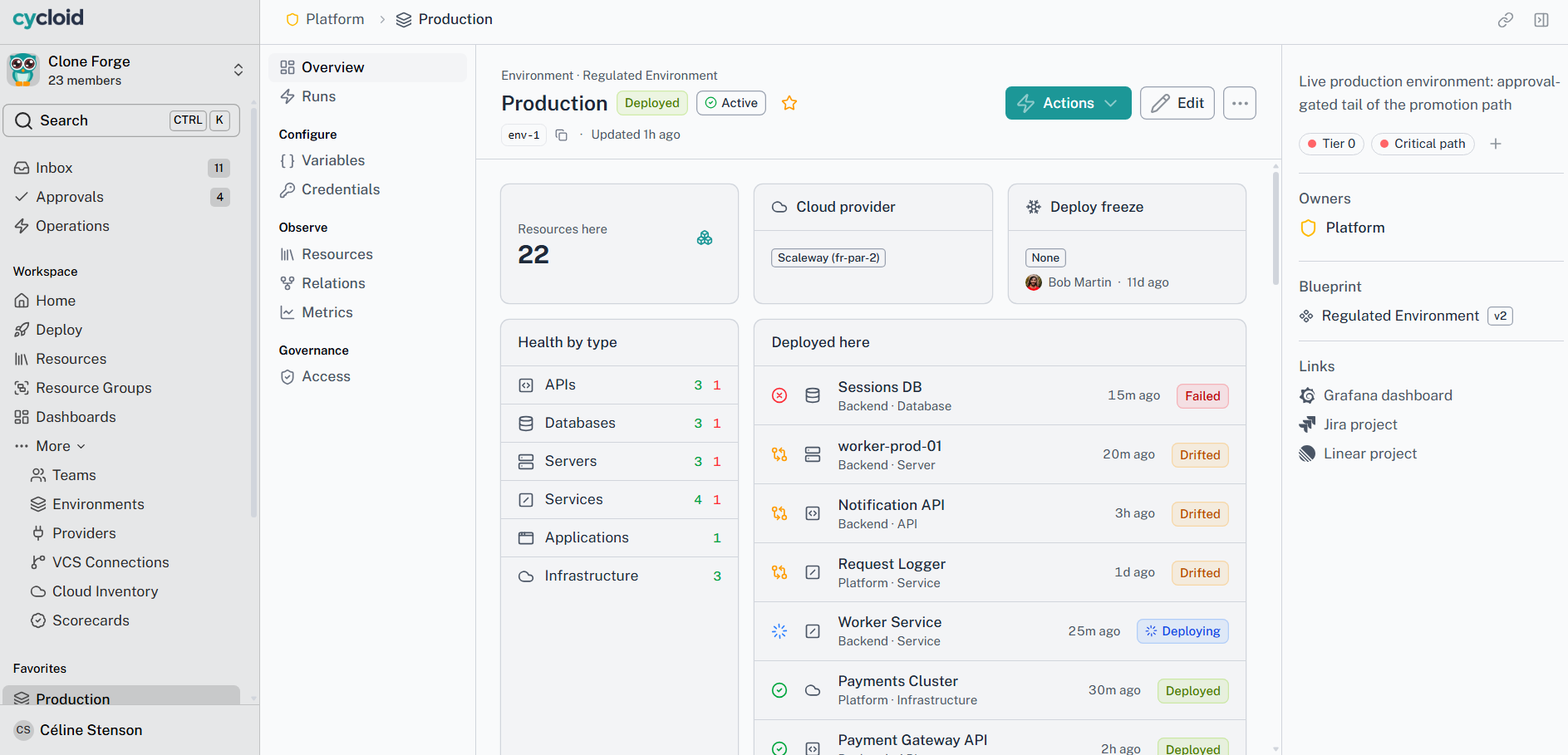
01 · Open the resource
Configuration, live status, relationships and the actions this Blueprint declares, all on the one page.
02 · Pick the action
The form opens prefilled from your last submission. Immutable fields are locked and sensitive ones stay masked.
03 · Confirm the context
Environment, providers and credentials are already bound, so day-2 asks you to resolve nothing.
04 · Watch it run
One status view and one log stream, whether it ran on the Native Runner or in your own CI.
05 · Or run it across forty-seven
When a CVE lands on forty-seven databases, select them all and run one action. Each is authorised on its own, parallel, rolling or one at a time.
Every day-2 action passes the same four layers as create. Relationships, then role, then conditions, then approval. Acting on something that already exists relaxes none of it, and there’s no separate day-2 policy to keep in line with the first.
Four steps, and none of them is “new pipeline”
The short version
Forty-seven databases, one action
3
ways to run a batch
1
form for the whole batch
4
layers, checked per resource
0
resources touched outside your selection
Scale the production API to six replicas.

Production declares an approval on this action, so I’ve raised the request rather than run it. It waits for a person either way.
Pending · scale prod-api
Awaiting approval
Requested by
You, through the assistant
State
Nothing changed yet
Working with your assistant
The action you'd have clicked, and no others
Does the assistant get its own permissions?
No. There’s no service account and no elevated assistant role. If you can’t deploy to production, neither can the assistant you’re talking to, in Cycloid’s own assistant or any compliant MCP host.
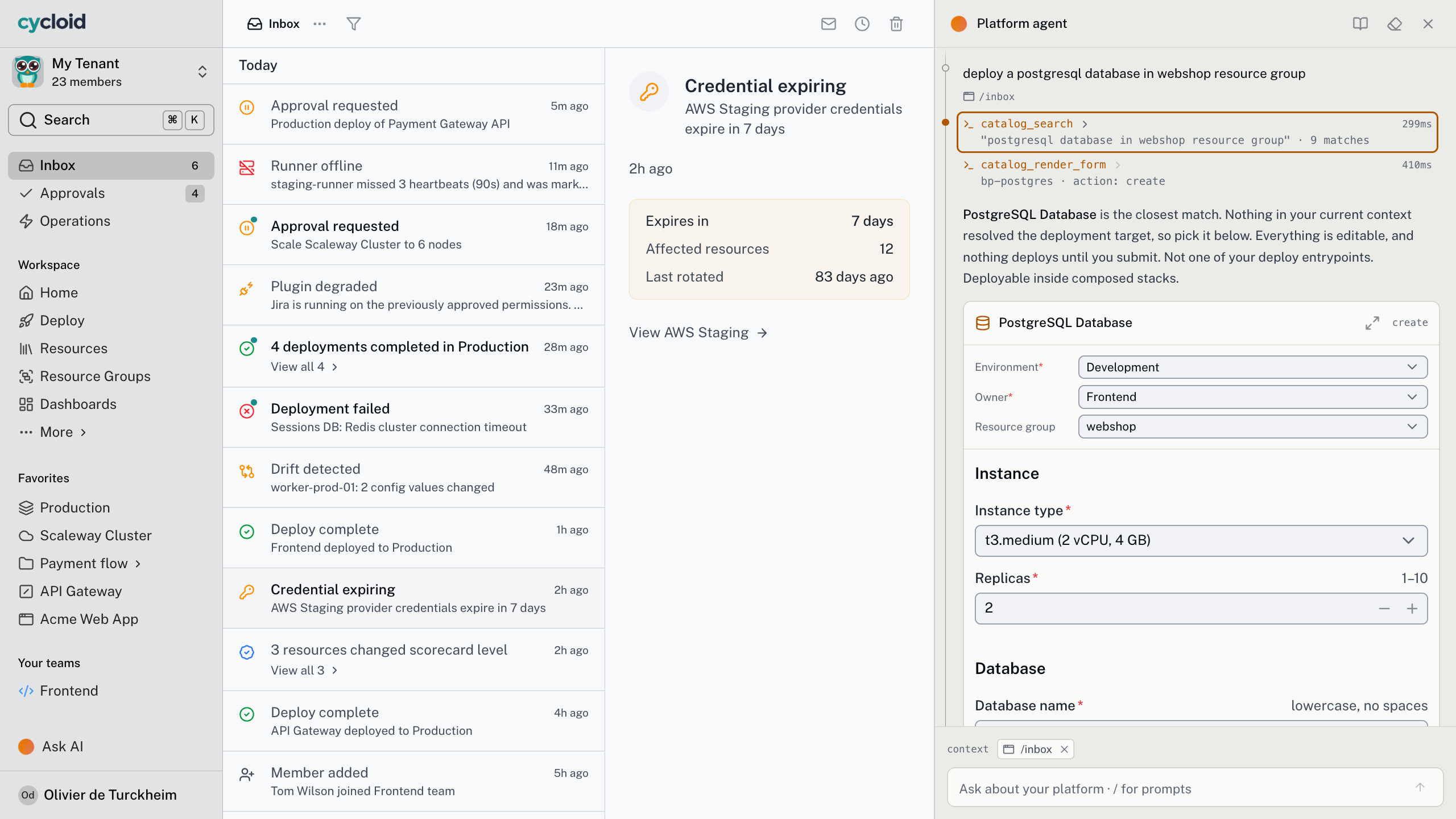
Ask your assistant to scale the staging cluster and it calls the action the Blueprint declares, as you, through the same four layers the button goes through. You see what’s about to change, and nothing runs until you say so.
If production needs an approval, the assistant raises the request and waits for a person, just as the form would. It can’t run an action the Blueprint didn’t declare, so what it can do is what you already published.
“
As developers, we loved being able to operate the application in a simple way.
Guillaume Maubert
CEO, Alchemy
Frequently asked questions
Whatever the Blueprint declares beyond create. Scale, restart, upgrade, run a plan, destroy, or anything specific to your stack. Each one is a real execution, with its own logs and status.
Yes. Approval is declared per action and can key on the environment, so production scaling needs a named approver while staging runs unattended. One action definition, not two Blueprints.
It goes forward. There’s no undo and no saved state to restore. You pick an earlier build from the resource’s history, and it runs as an ordinary update through the same form and approvals.
No. You click the action on the resource. Orchestration tracks it, streams the logs and hands the work to the backend it declared, native or your own CI. The pipeline becomes plumbing you never open.
Bring the operation you still do by hand
Pick the one that needs a runbook, a person who knows the trick, and a Slack message to whoever owns it. In twenty minutes we’ll make it an action on the resource, with its form and its approval rule.