







Promotion path
Developers promote within platform rules
Developers move work from dev to staging to production without asking the platform team. The gates that team set run on every step.
Promote to staging
The real cost
Every promotion is still a ticket
Getting a tested build into the next environment usually means asking the platform team, who check it, redeploy it and close the ticket. Multiply that by every service and every stage, and your platform team spends its week as a release desk.
Developers wait at every stage
A build that passed QA on Tuesday reaches staging when someone has time, not when it’s ready.
The platform team repeats itself
The same checks, run by hand, for every promotion of every service.
Production strays from staging
A redeploy by hand is a chance to type a different value than the one staging proved.
One platform, three views
What a promotion path changes for your team
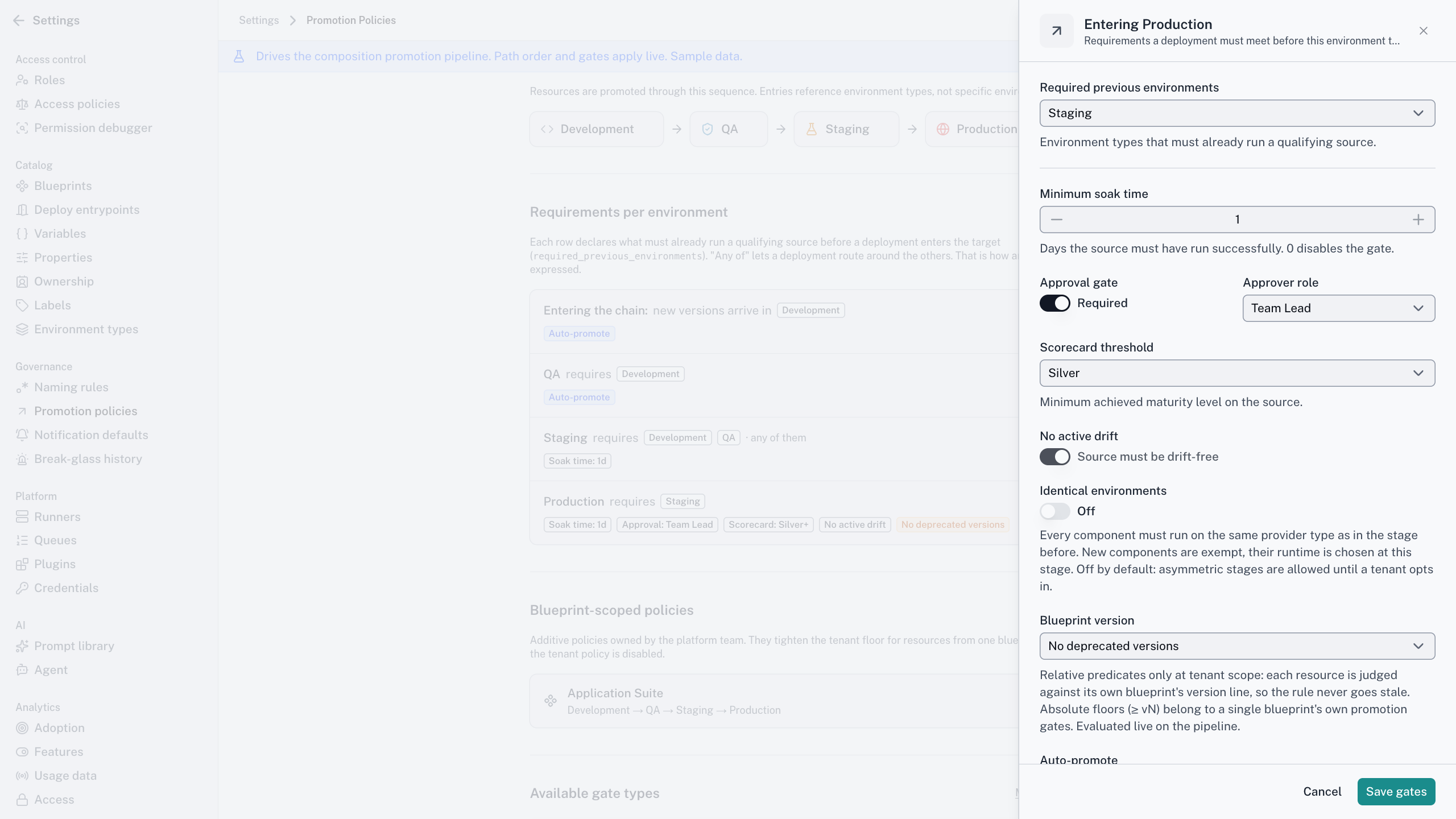
Set the rules once
The problem
You’re the gate between every environment.
With Cycloid
Promotion policies at tenant, team or Blueprint level, checked on the source before anything reaches the next stage.
The outcome
You design the path. You don’t walk everyone down it.
Push your own build forward
The problem
A tested build waits for someone else to move it.
With Cycloid
Press Promote to staging. If a gate fails, it tells you which one.
The outcome
Your pace, inside the rules.
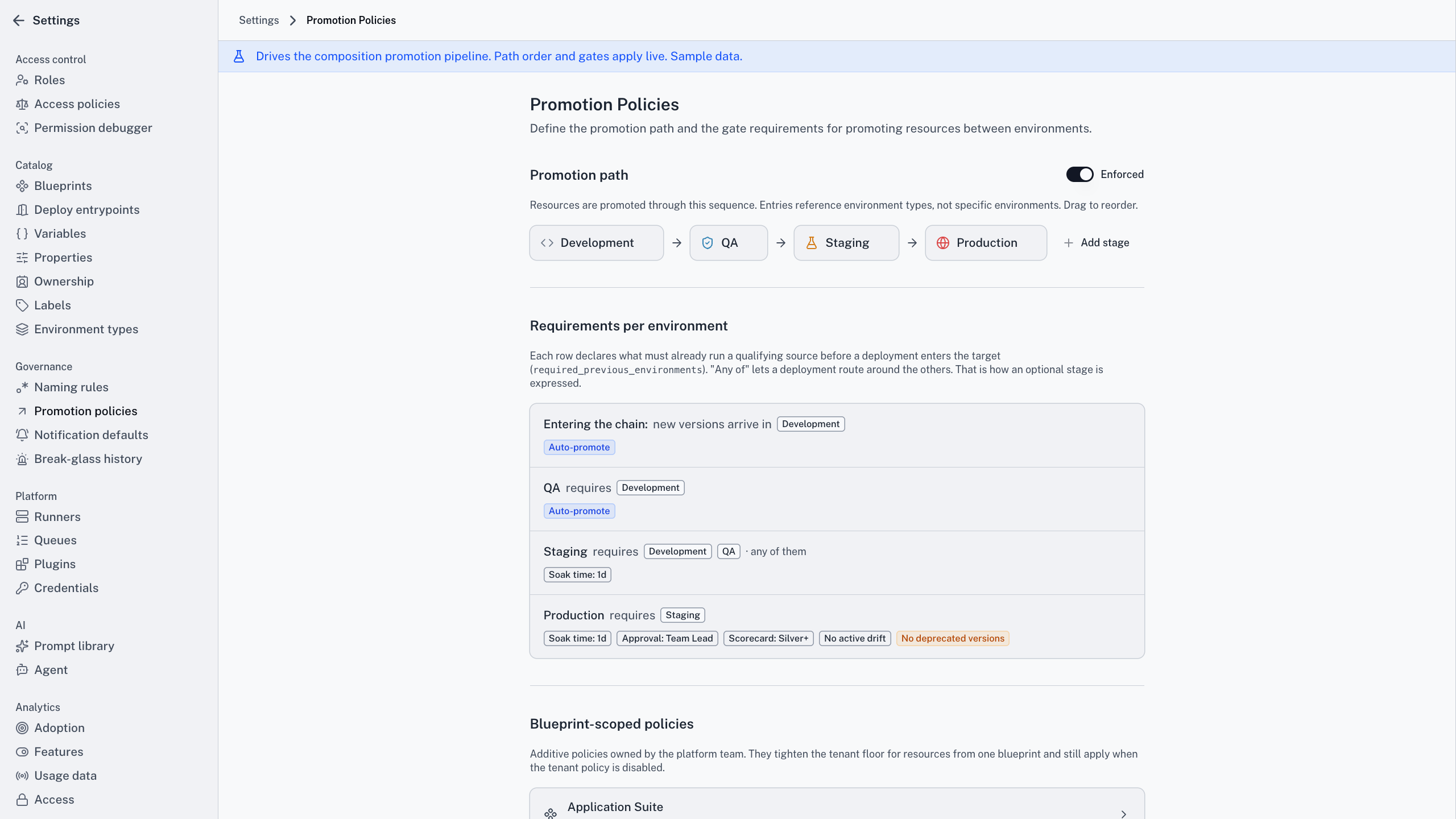
Production gets what
staging proved
The problem
Speed and control pull against each other at release time.
With Cycloid
The version validated in one stage is the version that reaches the next, and every bypass is logged.
The outcome
Faster releases you can audit.
How it works
From dev to production, one gate at a time
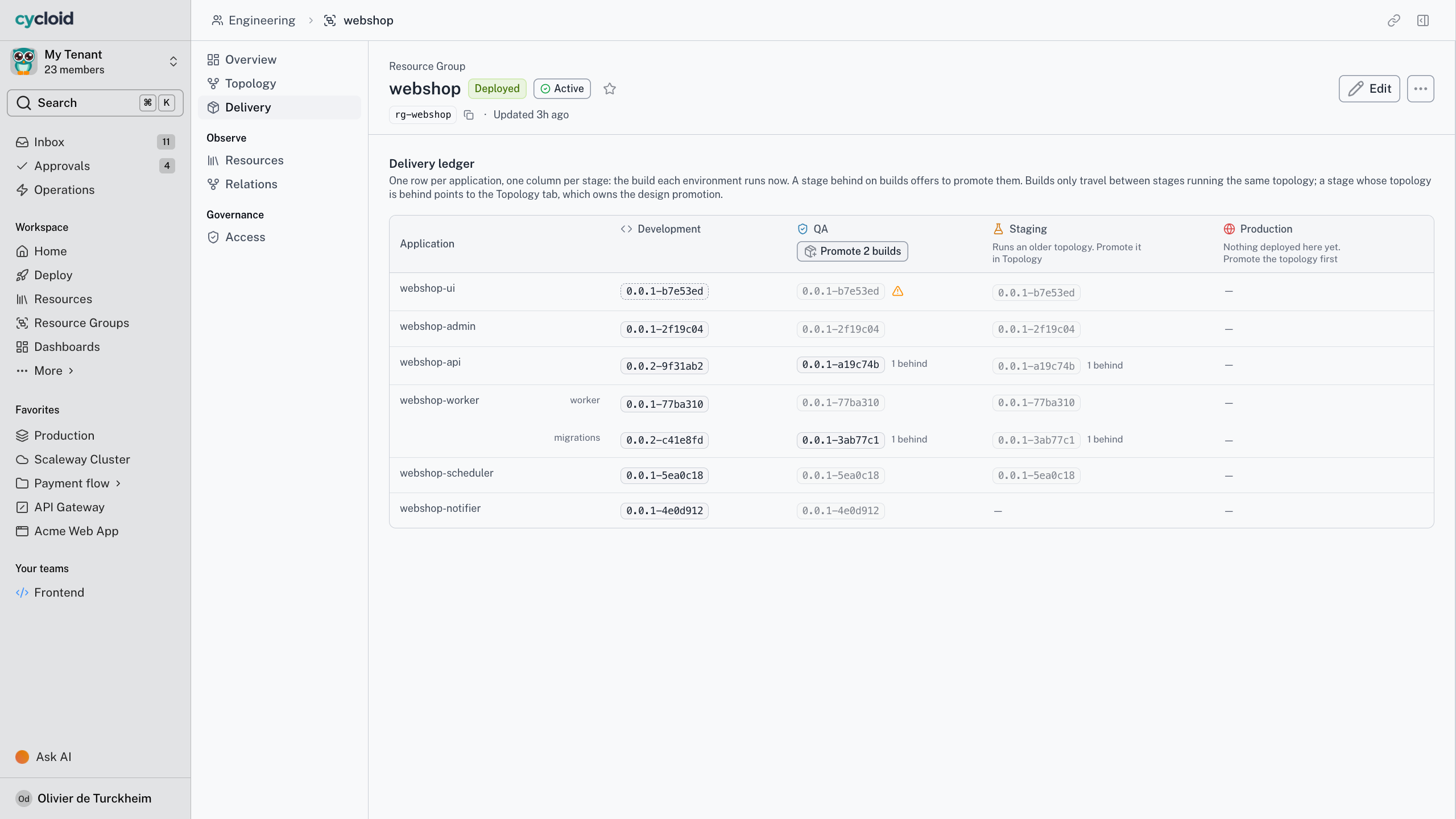
01 · Press promote
Promote to staging is a button on the deployed resource. The platform checks the gates before it opens anything.
02 · Gates check the source first
Soak time, required earlier stages, an approval, a scorecard level such as Silver, a Blueprint version. A failed gate names itself.
03 · The form opens prefilled
The first arrival creates a new resource in the target environment. After that, promotion updates the existing one in place, environment fields untouched.
04 · Rules stack, never relax
Tenant sets the floor. Teams and Blueprints can add gates, never remove one.
05 · Compose it, promote it as one
A composition built from slots in the catalogue promotes as a unit, and every child passes every gate.
Promotion is opt-in, set at tenant or team level. Dev to staging can promote itself once the gates pass. A hotfix can skip the gates only for people holding the bypass permission, and the bypass is logged. It never applies to a first deployment, which always starts at the first stage.
Scorecard gates come with the Advanced and Enterprise plans.
From dev to production, one gate at a time
The short version
The rules a promotion follows
3
levels of control: tenant, team and Blueprint
0
ways a team can weaken a tenant-wide rule
1
click promotes a multi-service app, all checked
1st
stage for every new app. No shortcut to production
Promote checkout-api to staging.

One gate failed. It’ll pass once the scorecard reaches Silver.
Promotion · checkout-api, dev to staging
1 gate failed
Soak time
Passed
Approval
Not required
Scorecard, Silver or above
Bronze today
Working with your assistant
Ask what's blocking staging, get the gate that failed
Does the assistant get its own permissions?
No. There’s no service account and no elevated assistant role. If you can’t deploy to production, neither can the assistant you’re talking to, in Cycloid’s own assistant or any compliant MCP host.
Ask your assistant to promote checkout to staging and it starts the same promotion as the button. Same gates, same wizard, acting as you.
If the scorecard gate fails, that’s the answer you get, named. Your assistant can’t skip a gate you couldn’t skip yourself.
Frequently asked questions
Does promotion move my resource?
No. The first promotion into an environment creates a new resource there from the same pinned Blueprint version. Later promotions update that target in place, so its environment settings stay as they are.
Can a hotfix skip the gates?
Only for people holding the promotion bypass permission. The bypass is audit-logged, and it never applies to a first deployment, which always enters the chain at its first stage.
What if we only have dev and prod?
The chain follows the environment types you have. Two stages make a shorter path, and when you add staging later you update the policy to include it. Nothing else in the chain has to change.
Can developers build their own environment?
Yes, from a composition. The deployer fills the slots the author allowed, each child needs its own use permission, and the whole composition then promotes through the chain as one unit.
Bring the release that always needs a ticket
Twenty minutes and the path from dev to production your team walks by hand today. We’ll set it up as a promotion policy and show you a gate refusing a build that isn’t ready.