







Forms
Write the module once. Let developers fill it in.
A Terraform module isn’t a self-service experience. Forms turns it into typed fields a developer can fill in, with authorisation on submission rather than in a ticket beforehand.
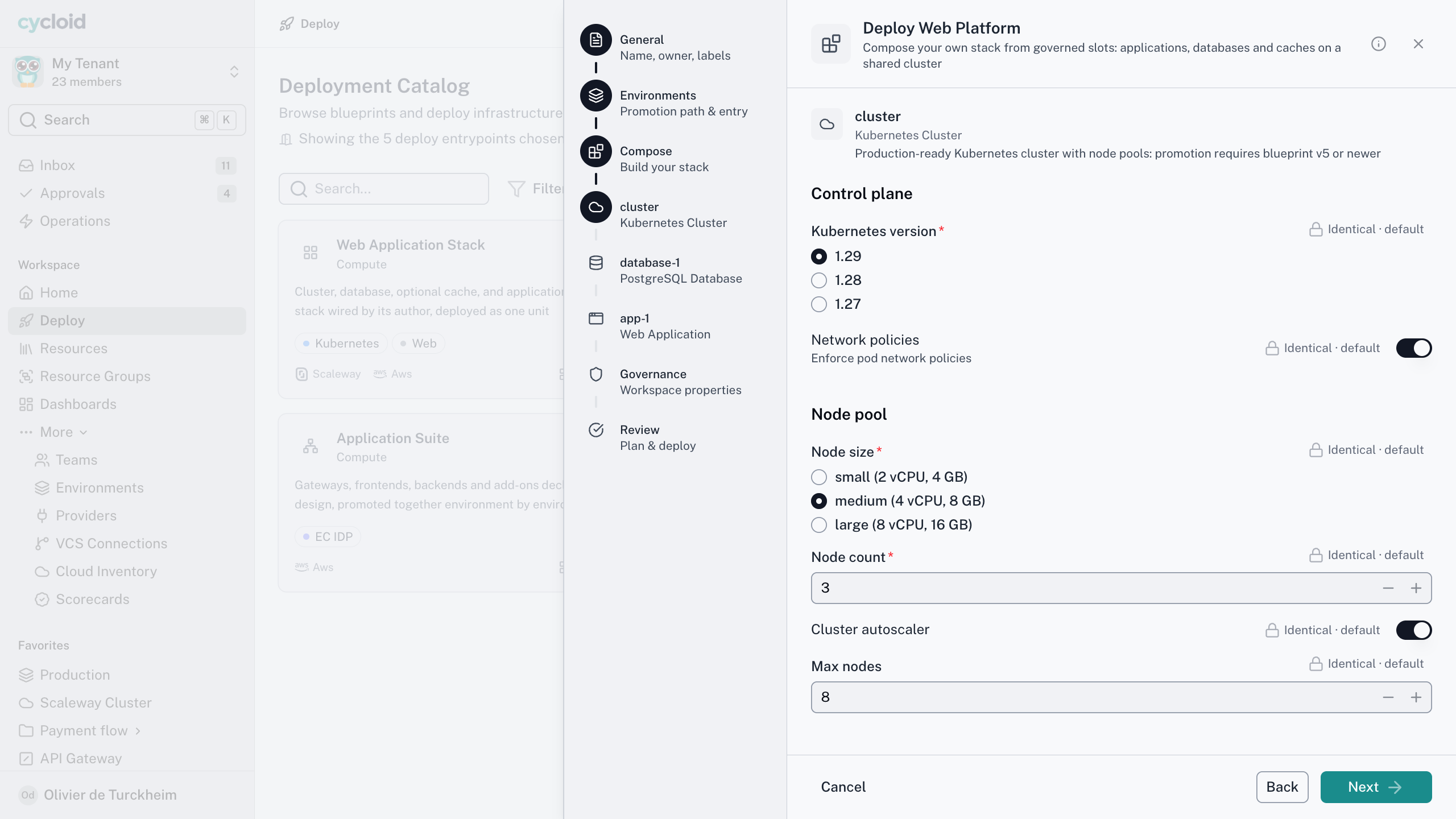
A rendered Form
Authoring
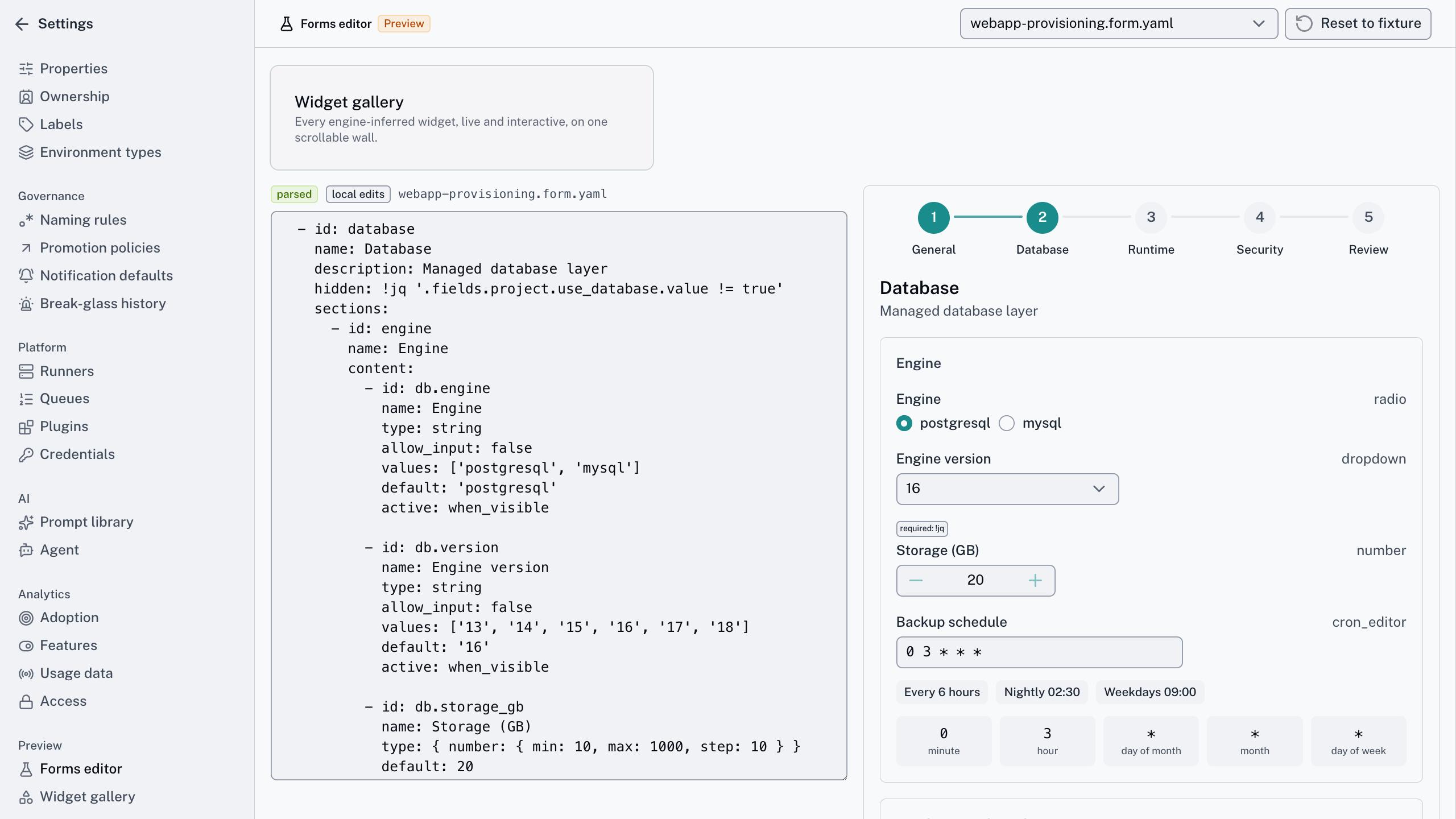
You describe the data. The widget follows.
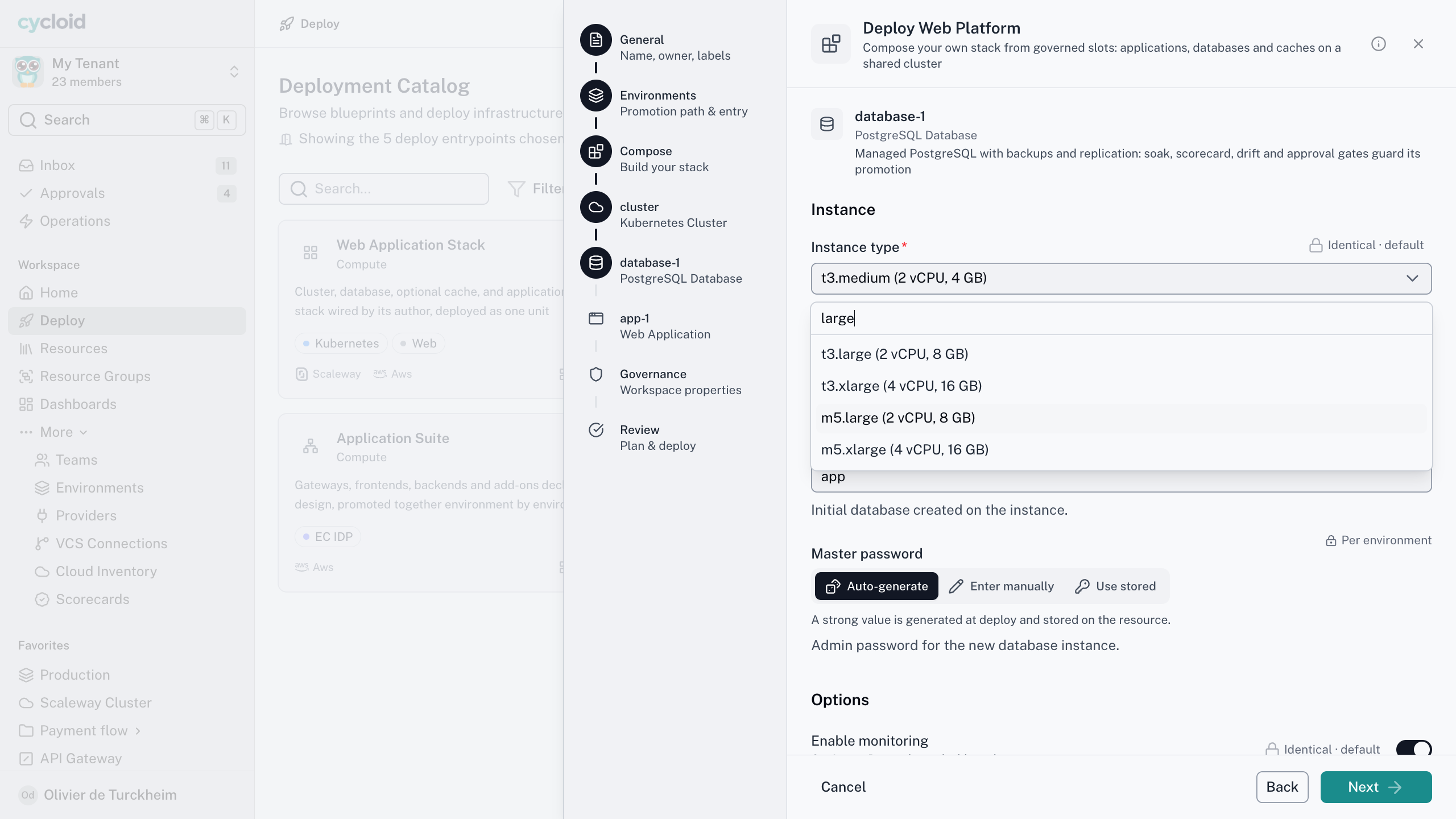
There’s no widget field to set. Not one you can override if you feel like it. None at all. The engine derives the widget from the type, the format, the source and the constraints, so the same form looks the same in every session and on every surface. Authoring becomes describing what the data is.
From the type
A string is a text input. A number is a stepper that honours minimum, maximum and step. A typed map gets a key-value editor, an object gets a form built from its properties, and nesting works down to arrays of objects.
From the format
Multiline gives a textarea. A code language gives a code editor in that language. A password gets a masked field with confirmation, and an SSH key or certificate gets multiline with format checks. Both take a pasted value or a dropped file.
From the values
A field with options is constrained by default, shown as radio buttons or a dropdown depending on how many there are. Opt into free input and it becomes an autocomplete. If only one option is left, it selects itself and says why.
Cycloid for your team
What Forms changes for each reader
One thing to change, not two
The problem
You maintain the module and a separate request form, and the day they disagree is the day somebody deploys something odd.
With Cycloid
The form is a block in the Blueprint. One object carries the architecture and the questions, and they version together.
The outcome
Changing the module changes the form, because they were never apart.
Fill it in, get a resource
The problem
Self-service means a wiki page of variables and a hope that you picked the right instance type.
With Cycloid
Typed fields, hints drawn from the format, and constrained options where options exist. Validation fails on your screen, not eleven minutes into an apply.
The outcome
The form tells you what it wants before it tells you no.
The convenient path is the governed one
The problem
The fast path and the governed path are different paths, so people take the fast one and you find out at audit.
With Cycloid
Every submission runs the same authorisation and approval rules, whichever surface it came from. The record names the surface.
The outcome
Nobody has to choose between quick and correct.
How it works
Governance before the resource exists
01 · Write it into the Blueprint
A form is a block inside the Blueprint, not a separate file. The thing that deploys and the thing that asks are one object, so they can’t disagree.
02 · Give each action its own
Create gets the wizard. A day-2 action like scale or upgrade gets its own form, prefilled from the last submission.
03 · Keep secrets out of it
A credential picker outputs an id from the platform store, never the secret. A sensitive field is encrypted and masked everywhere.
04 · Render it where people work
The portal and Cycloid’s own assistant render the same components. MCP hosts get the interactive form as they adopt the extension, and text until then.
05 · Submit and validate once
One pass, same rules on client and server. A surface that can’t render a field refuses the whole form and names it.
The engine makes every decision that matters. Which fields appear, which widget each gets, what the options are, whether it validates. The surface is recorded on the audit event and never consulted. Every submission goes through the same authorisation and approval rules, so the quick path is the governed one. Include files and prefill rules are in the Forms docs.
Governance before the resource exists
The short version
The rules every form follows
4
places a form can appear
1
widget set. No cut-down versions
0
widget overrides to argue about
1
validation pass, on submit
Deploy a Postgres for checkout, staging.

Three of these came from the conversation. One left to answer.
Form · PostgreSQL, staging
Rendered as you
Prefilled
Team, environment, region
Needs you
Instance size
Working with your assistant
The assistant submits leaf values, the engine does the rest
Does the assistant get its own permissions?
No. There’s no service account and no elevated assistant role. If you can’t deploy to production, neither can the assistant you’re talking to, in Cycloid’s own assistant or any compliant MCP host.
An assistant filling a form isn’t a fifth surface. It’s an input path, like the API and the CLI. It submits the leaf values a person would have filled in, and computed fields, defaults and derived state stay the engine’s job. It all validates in one pass. A script can’t walk itself into a state a person couldn’t reach.
In Cycloid’s own assistant you get the real form. The assistant already knows half the answers from the conversation, so those fields aren’t drawn. Same engine, fewer questions left to ask.
Frequently asked questions
Anything your Blueprint’s actions run: Terraform, OpenTofu, Ansible, Helm, or a step type a plugin adds. Forms handles the questions. The actions handle the execution, in the same object.
Yes, with a one-off conversion script. Forms is new, with a schema that starts at version one, so the engine doesn’t quietly migrate the old format for you. You run the conversion once and you’re done.
A credential picker points at the platform store, so rotating a credential there updates every form at once. A sensitive field holds a one-shot secret, encrypted and masked everywhere.
It’s prefilled from the last submission, with sensitive fields masked. Leaving a field inactive doesn’t wipe what’s stored. To clear a value, you submit an empty one, on purpose.
Bring the module nobody wants to touch
Twenty minutes and the Terraform module with forty variables nobody understands. We’ll turn it into the form your developers would actually fill in, and show you what happens when somebody submits something your policy refuses.